
The family planner app
Your family's whole week, on every screen you own.
Calendar, chores, lists, outing ideas and your own family crest, in one app everyone can see. On the TV, the kitchen tablet and every phone. No device to buy.
Plan As One on a desktop monitor, an iPad and a phone, each showing the family's week.
Works with
Works with school and team calendars, iCal feeds, iPad, Android tablets, smart TV browsers, Chromebooks, Mac, PC, iPhone and Android.
See it in action
A day in the Rivera house.
This is the real app with a sample family, the Riveras. Tap a step, or sit back and watch it play.
Shared calendar
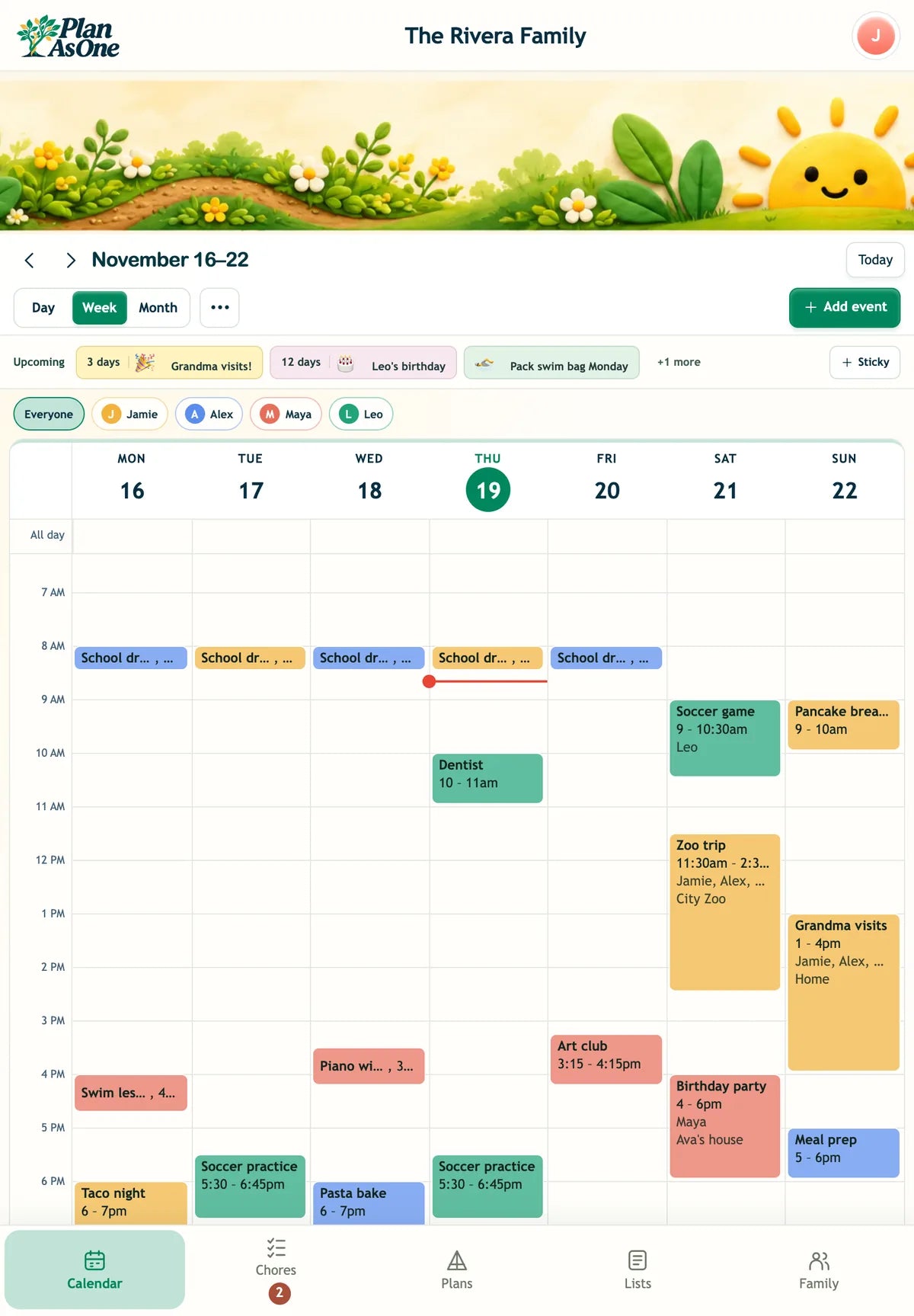
Everyone's week, in one glance.
Swim, soccer, the dentist and taco night, each in that person's color. Add the school and team calendars by link and they stay up to date, so the wall and your pocket always agree.
- Day, week and month views, hour by hour
- Click any open time to add a plan
- iCal feeds from school, teams and other calendars
- Tap a name to see just their day

Stickies & countdowns
The days they can't wait for, counting down.

Chores & rewards
No more nagging.
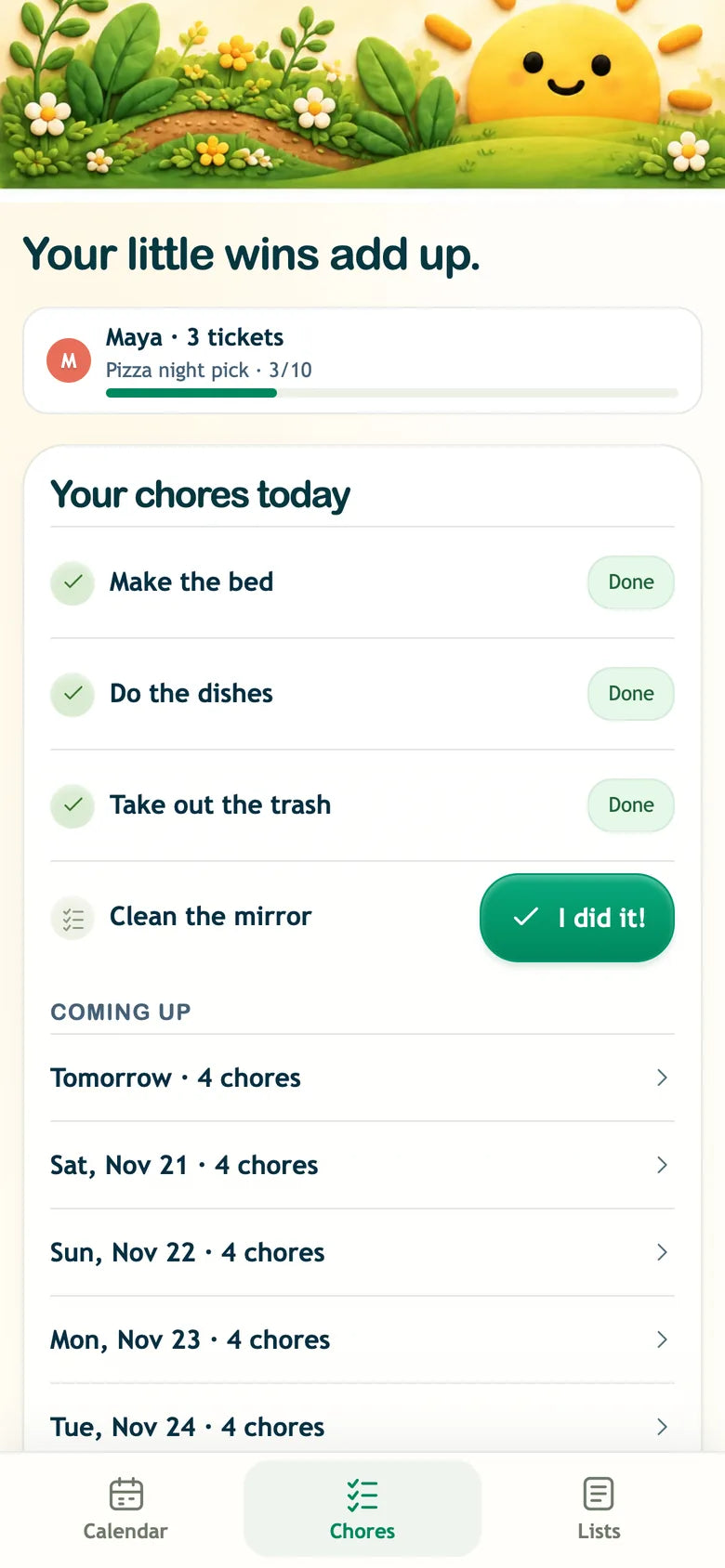
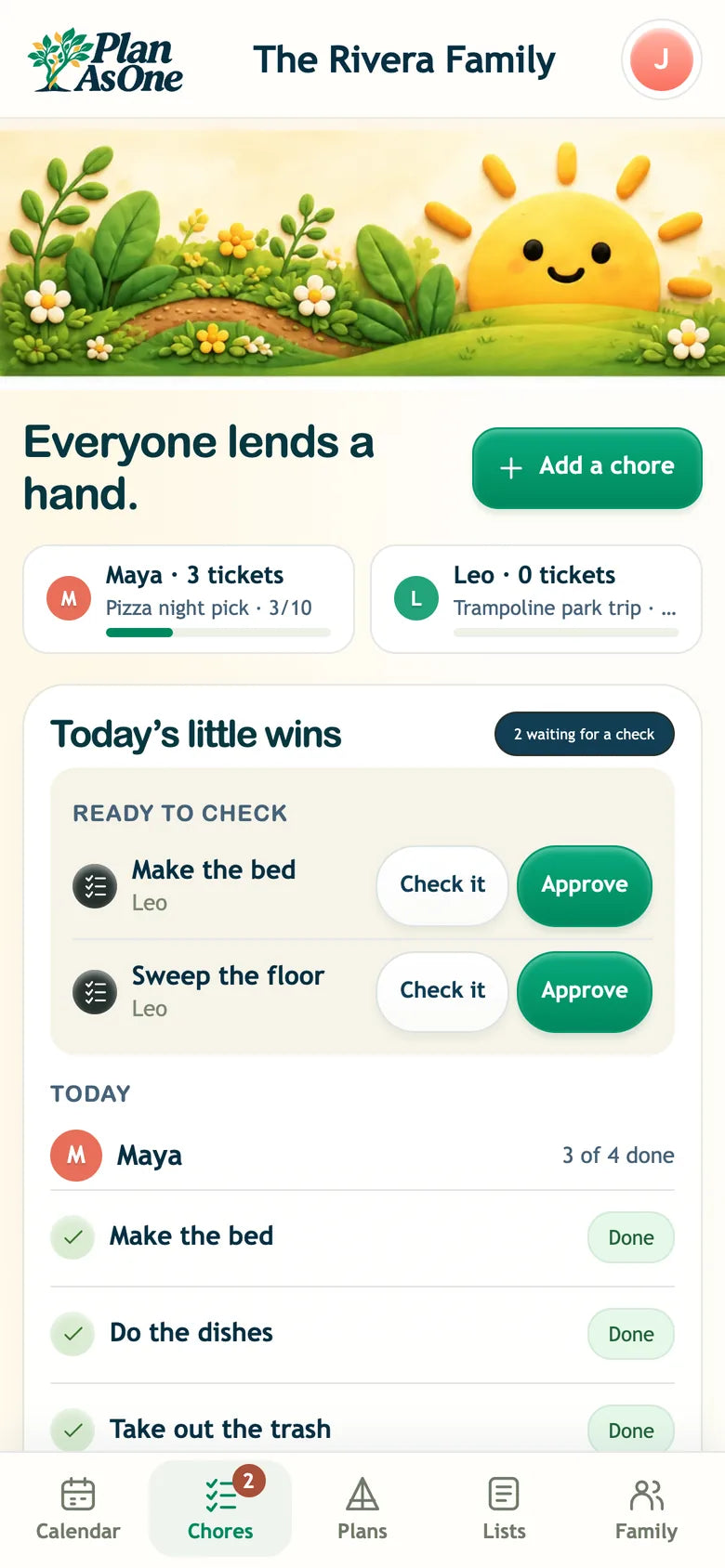
Kids get their own sign-in and their own list. They tap “I did it!”, you take a look, and only approved chores fill up the prize box. The list does the reminding.
- Each kid sees just their chores
- Parents approve before anything counts
- A prize to work toward, like pizza night
Shown with a sample family, Maya and Leo Rivera.
3It counts toward the prize

Family display
Your TV is now the family wall.
- The week, at a glanceEveryone's plans on the biggest screen in the house, in the browser your TV already has.
- When nobody's looking, it restsThe planner fades into your family photos, with the time and the next countdown on top.
- Your photos, on rotationAdd your favorites and it becomes the family photo album. Swipe up and the week is back, and the cover hides the details when guests visit.


Real cover screen with sample photos of a fictional family.
Family plans
Less “what should we do?” More “remember when?”
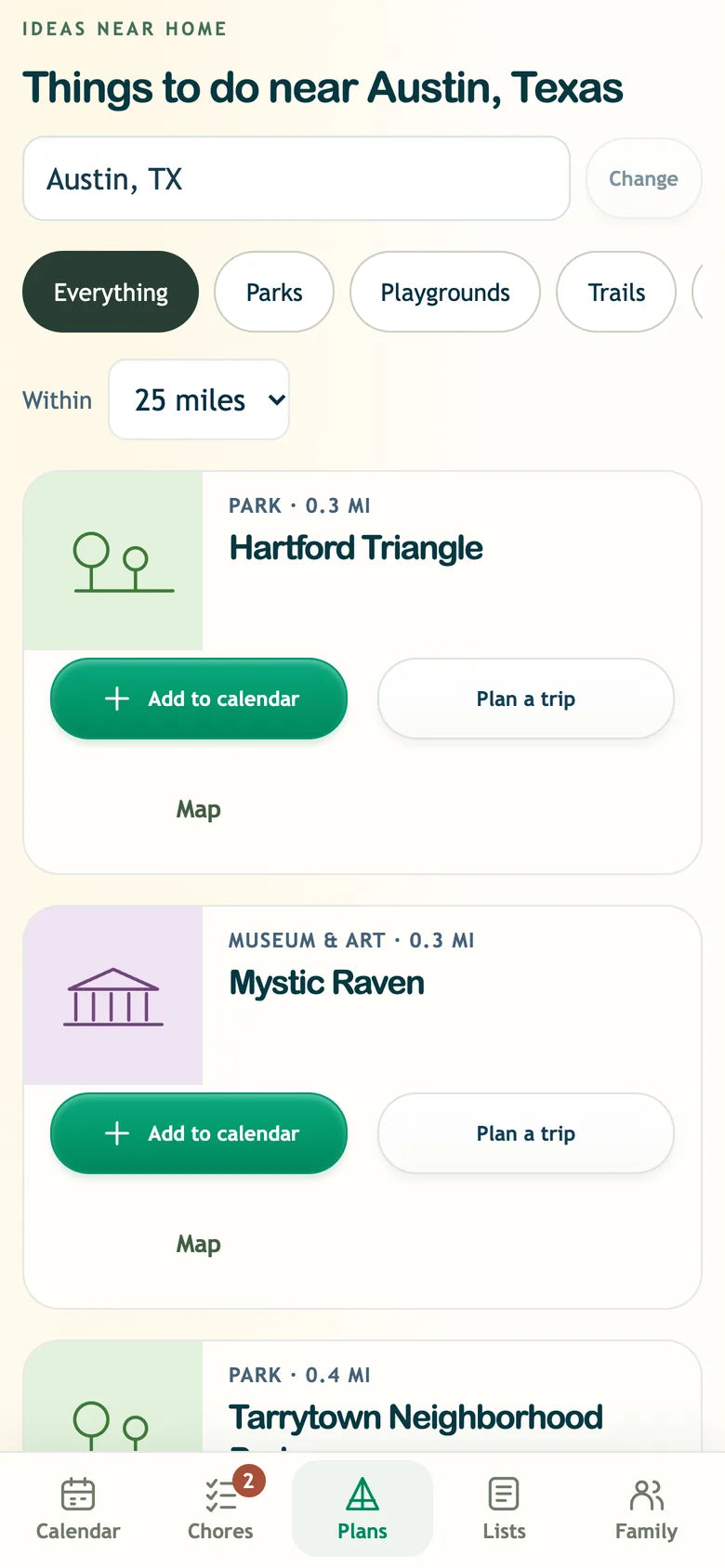
Type your city or ZIP and Plan As One finds parks, museums, trails, farms and libraries near home. Like one? It goes on the family calendar in one tap.
- Ideas near home, sorted by distance
- Filter by parks, playgrounds, water, animals and more
- Add to calendar, or plan a trip around it

Family crest Free
A crest made from the thing you always do.
Tell us your family's ritual, the one detail only you would recognize, and the foods, places and pets you love. We draw an original illustrated crest from your answers. No faces, just your things.
- 1Answer two questionsWhat do you always do together? What only your family would spot?
- 2Add what you loveFavorite foods, places, pets. Each one gets drawn in.
- 3Keep it, freeSign in to save it. It sits at the top of your planner, and the full-size file is yours to download.

What this sample family told us
Only they'd spot:
Real crests from Crest Studio, made for five sample families.
In everyone's pocket
Less to remember. More to look forward to.


Make it yours Included free
Three painted looks, free with every plan.
Each one has its own hand-painted banner across the top of every page. Switch any time in Settings.
Little Workshop Warm and hand-drawn: leafy hills and a smiling sun.
Getting started
Up and running before dinner.
- 1
Create your family
Add everyone, pick their colors, and give kids their own sign-in with your OK.
- 2
Bring in your calendars
Add school and team calendar links. The week fills itself in.
- 3
Put it on a screen
Open it on the TV or a tablet in the kitchen. That's your family wall.
Why an app, not another gadget
Skip the hardware. Keep the calm.
Pricing
One plan. The whole family.
Every feature, every screen, everyone in the house.
Plan As One Family Plan
50% off for life
Billed monthly until you cancel
Start my family planOffer ends Cyber Monday
$19.98 a month, billed monthly until you cancel. Your 50% Black Friday price stays for as long as your subscription stays active. Offer for new subscriptions started by November 30, 2026, 11:59 PM CT.$39.95 a month, billed monthly until you cancel.
- Shared calendar, hour by hour, with school and team calendar links
- Chores with kid sign-ins, approvals and real rewards
- Your TV or tablet as the family wall, with your photos
- Stickies, countdowns and shared lists
- Outing ideas near home
- Your own illustrated family crest
- Three painted looks: Little Workshop, Family Album, Clean and Bright
- Every phone, tablet, laptop and TV you own
Questions
Good to know.
How much does Plan As One cost?
One plan covers the whole family: $39.95 a month. For Black Friday through Cyber Monday (November 30, 2026), new subscribers get 50% off for life, so $19.98 a month for as long as they stay subscribed.
How does billing work?
Your subscription is billed monthly until you cancel. You'll see the total at checkout before you pay.
Do I need to buy a screen or device?
No. Plan As One runs in a web browser on phones, tablets, laptops and smart TVs. A spare tablet on the counter makes a great family display.
Does it work with Google Calendar?
Two-way Google Calendar sync is coming. Today you can bring in any calendar that offers an iCal link, like a school or sports team calendar, or the private iCal address of a Google Calendar.
Can my kids use it?
Yes. Children get their own simple sign-in, set up with a parent's consent. They see their chores, tap “I did it!”, and a parent approves what counts.
What is the cover screen?
When the display is idle, or when you tap the lock, it switches to a calm clock with your next countdown or your family photos. Swipe up or tap to bring the calendar back.
Is the family crest really free?
Yes. Making a crest is free, and signing in (also free) saves it to your family and unlocks the full-size file. If something's wrong or missing, tell us and we change just that part.
Where do the outing ideas come from?
From public map data (OpenStreetMap) for places near the city or ZIP you enter. Hours and prices change, so check before you go.
Can grandparents or a sitter see the schedule?
Invite other adults to the family, or share a view link that you can switch off at any time.


Get the whole family on the same page.
Set up your family in a few minutes. Bring the screens you already own.
Get started